Problem with using Yahoo Mail to send emails with a domain managed under ZoneEdit

Carfield Yim

New Member
I've added an email address with a domain managed under ZoneEdit as linked account at yahoo mail. However when I send out email I get below error, what config I need to do to prevent this from happening?

Sorry, we were unable to deliver your message to the following address.

<xxx@yyyy.com.au>:
550: 5.7.26 Unauthenticated email from aaa.com.au is not accepted due to
5.7.26 domain's DMARC policy. Please contact the administrator of
5.7.26 aaa.com.au domain if this was a legitimate mail. To learn about
5.7.26 the DMARC initiative, go to
5.7.26 https://support.google.com/mail/?p=DmarcRejection d2e1a72fcca58-84a4f82a1ddsi17627361b3a.118 - gsmtp
 
Hello,

It seems the message is being rejected by the receiving mail server due to a lack of DMARC record from the sending domain name. To prevent issues like this, you typically want to enter an SPF, DKIM, and DMARC record for your domain as many email servers now (especially the big providers like Google, Microsoft, etc.) will reject your messages or flag them as spam. Note that you need to get these records from your domain's email provider.

If you need just a 'generic' DMARC record for now, you can use something like the following. Note that this will need to be entered with your domain's DNS provider:

TYPE: TXT Record
Host: _dmarc
Text: v=DMARC1; p=none;

-ZoneEdit Support
 
Hi ZoneEdit support, my domain is warmte.com.au, it parked at ZoneEdit and use ZoneEdit nameserver, how can I enter above information in zoneedit admin page? I see something at "DNS settings" tab but look like I can only put one line information there
 
I feel there's more to it here.

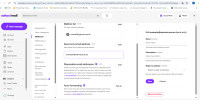
What does Yahoo need you to set in your domain's DNS? I see an attempt to purchase our Zone Out 50 service, but the invoice remains unpaid because it requires credits to purchase that service, and the account has 0 credits available.

Hover over USER: in the blue bar at the top and select Invoices from the drop-down menu.


If you need to purchase credits first, then you can do so via the Credits option under that same drop-down menu.
 
I don't see anywhere that it asks you for the remote SMTP hostname or username/password to our Zoneout 50 service. If they don't provide that, then that service won't work. If they are going to send emails on behalf of your domain using their Yahoo SMTP servers, they need to provide their DKIM/SPF information, not ours. Unless they can do that, based on what I see in that screenshot, I don't see that Yahoo option would work.

Gmail, on the other hand, has a Send Mail As option which asks for your remote SMTP hostname, username and password, which works with our Zoneout 50 SMTP service.
 
Ok great. Then you would need to purchase credits for your account and purchase the Zoneout 50 Add-on for the domain you want the service configured on (assuming that will be warmte.com.au)

Instructions here:
 
Back
Top